Address
304 North Cardinal St.
Dorchester Center, MA 02124
Work Hours
Monday to Friday: 7AM - 7PM
Weekend: 10AM - 5PM
Address
304 North Cardinal St.
Dorchester Center, MA 02124
Work Hours
Monday to Friday: 7AM - 7PM
Weekend: 10AM - 5PM


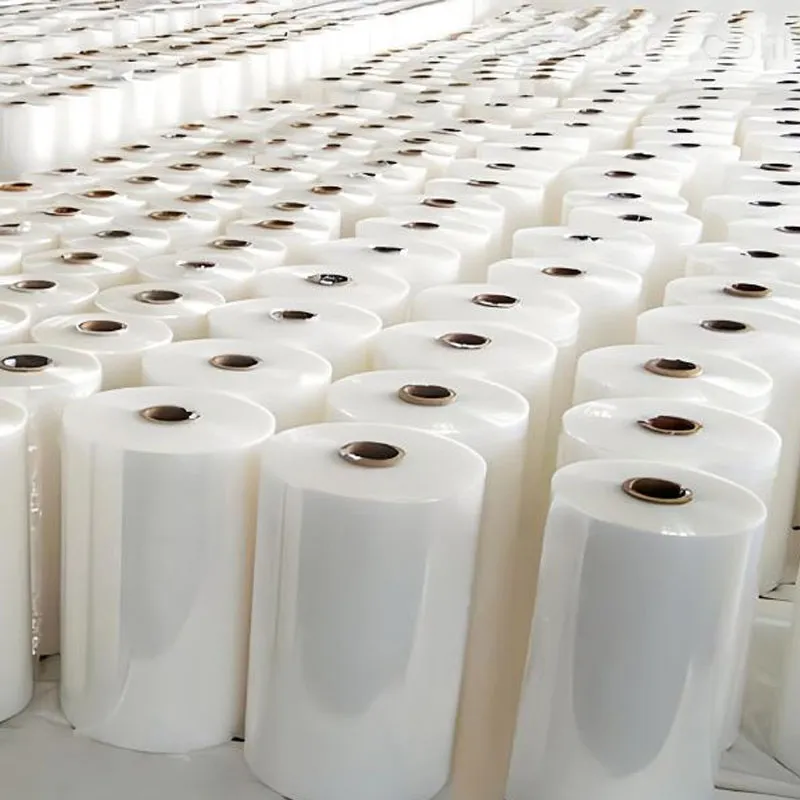
Privacy screen protectors (also called privacy filters) are thin layers applied to phone, tablet, or laptop displays that narrow the screen’s visible angle so only the person directly in front can see the content clearly. They promise to stop shoulder-surfing in public places — but do they actually work? This guide breaks down how they function, benefits, trade-offs, and practical buying and care tips so you can decide whether one is right for you.
Most privacy filters use micro-louver technology: microscopic slats embedded in the film direct light forward and block side angles. At straight-on (0°) viewing the image remains clear, while off-axis viewing (typically beyond 30°–45°) appears dark or blurred. Variations include matte plastic films, tempered glass with privacy layers, and adhesive privacy films for laptops and monitors.
Tempered glass privacy protectors — strong, smooth, and often more touch-friendly. They can include oleophobic coatings and are better at resisting scratches.
PET/TPU privacy films — thinner, cheaper, and flexible; easier to cut for odd-sized screens but can feel plasticky and trap dust.
Clip-on laptop filters — removable panels that attach to laptops for occasional use without adhesive.
Effective anti‑snooping: In crowded or public settings (planes, trains, cafes), privacy filters prevent casual onlookers from reading messages or viewing sensitive documents from side angles.
Added screen protection: Tempered options double as impact and scratch protectors. Some films offer anti‑glare and anti‑fingerprint coatings.
Simple privacy solution: No software changes are required — privacy is physical and immediate.
Reduced brightness and clarity: All privacy filters reduce visible brightness and often slightly dim colors. OLED and high‑brightness displays may need higher brightness settings, which can affect battery life on mobile devices.
Narrow viewing-angle frustration: Side-by-side screen sharing (with a colleague) becomes difficult; sharing requires removing the filter or tilting the device.
Touch sensitivity & compatibility: Thicker tempered privacy glasses can slightly reduce touch responsiveness on some phones, and curved-edge screens can be hard to fit perfectly. Privacy films may interfere with in-screen fingerprint sensors.
| Type | Clarity (straight-on) | Privacy angle | Durability | Touch feel |
|---|---|---|---|---|
Tempered glass privacy | High — sharper colors | 30°–45° typical | Very durable, scratch resistant | Very smooth; near-original feel |
PET / TPU privacy film | Medium — slightly hazy | 30°–60° depending on quality | Moderate — scratches easier | Less smooth; can feel plasticky |
For everyday public privacy — commuting, coffee shops, and open-plan offices — a good privacy screen protector is generally effective. It prevents casual shoulder‑snoopers and accidental peeks. However, determined observers with the right angle or equipment (e.g., high-resolution cameras positioned correctly) can still capture information. In short: privacy filters are a strong deterrent for casual viewing but are not a perfect security layer against targeted attacks.
Privacy angle: Look for specified angles (e.g., 30° or 45°). Narrower angles mean more privacy but less side visibility for sharing.
Material & finish: Tempered glass for durability and smoother touch; PET/TPU for flexibility and lower cost.
Compatibility: Edge-to-edge curved screens and in-screen fingerprint readers may require cutouts or special designs — check compatibility for your model.
Coatings: Oleophobic and anti-glare coatings improve feel and reduce fingerprints and reflections.
Warranty & replacements: Filters with return policies or short-term guarantees make it easier to test fit and performance.
Clean the screen thoroughly with a lint-free cloth and alcohol wipe before applying to avoid trapped dust. For adhesive films, use a dust‑removal sticker or tape during installation. If bubbles appear, gently push them toward the edge with a soft card. Use mild screen cleaners for maintenance and avoid abrasive materials. Replace privacy protectors if the louvers become scratched or the film peels at the edges — degraded louvers reduce privacy performance.
If you frequently share your screen with others or use face‑down collaborative workflows, a privacy filter can be more hindrance than help. Also avoid if in-screen fingerprint recognition is essential and you can’t find a compatible model, or if your device’s battery life is critical and you can’t afford the higher brightness the filter may require.
Q: Do privacy screen protectors block blue light?
A: Most do not block blue light specifically unless labeled as blue-light reducing; privacy filters focus on angle control, though some combine features.
Q: Will a privacy protector affect camera performance?
A: On phones, front cameras are unaffected. On laptops, clip-on filters do not cover webcams; adhesive films should avoid interfering with camera lenses.
Privacy screen protectors are a practical, low-cost way to improve day-to-day screen privacy and add light protection. Choose a quality tempered option if you want longevity and the best touch experience, or a PET/TPU film for budget flexibility. Test compatibility with your device model, especially if you rely on biometric sensors. For OEM or custom film needs, manufacturers like Pulivk can produce tailored film solutions for a variety of device and industrial applications.
1. Confirm device compatibility.
2. Choose privacy angle based on how often you share the screen.
3. Prefer tempered glass for durability and PET/TPU for custom shapes.
4. Check return policy so you can test real-world performance.