Address
304 North Cardinal St.
Dorchester Center, MA 02124
Work Hours
Monday to Friday: 7AM - 7PM
Weekend: 10AM - 5PM
Address
304 North Cardinal St.
Dorchester Center, MA 02124
Work Hours
Monday to Friday: 7AM - 7PM
Weekend: 10AM - 5PM


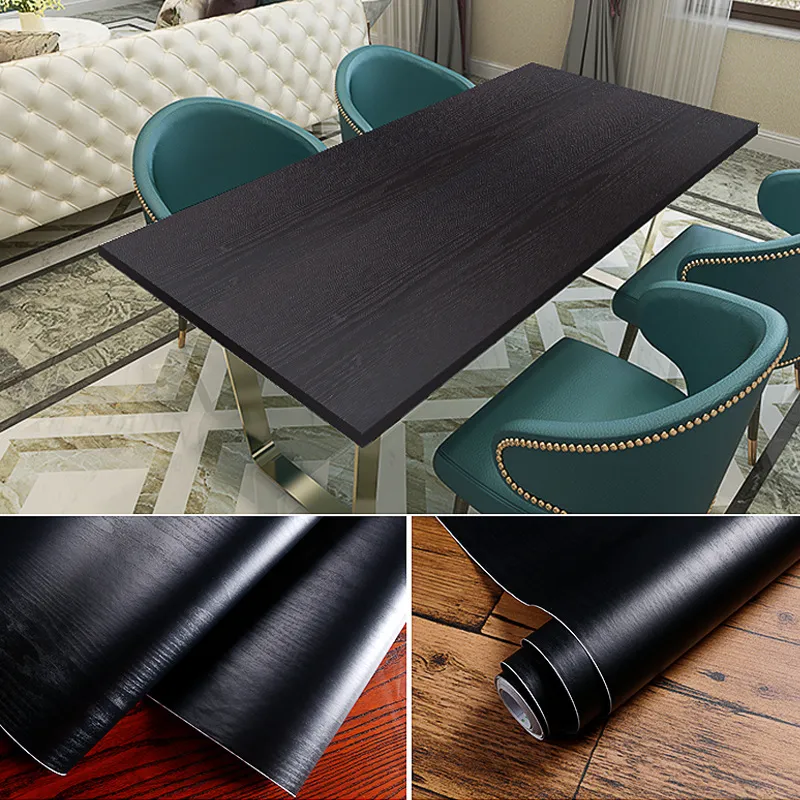
PVC film pattern appears blurry or washed out when printed or embossed — a frustrating problem for manufacturers, decorators and end users. This guide explains the most common causes of a blurry PVC film pattern and gives practical, step-by-step fixes you can apply on the production line or during installation to restore crisp, predictable results.
Blurry pattern can describe several visual defects: soft or diffuse edges on printed motifs, loss of fine detail in wood-grain or marble effects, ghosting, or mottled/uneven embossing. Identifying whether the issue originates from printing, calendering, embossing, lamination, storage or installation is the first step to a reliable repair.
After printing: ink spreading, poor dot gain or misregistration.
After embossing or calendering: worn rollers produce weak texture definition.
After lamination or coating: adhesive migration or incompatible layers soften the design.
During installation: surface contamination, trapped moisture or improper heating causes pattern distortion.
The most common root cause for blurred printed patterns is incorrect ink behavior or press settings. Symptoms: soft edges, uneven color density, or smeared halftones.
Causes: poor ink viscosity, high dot gain, worn anilox/rollers, low print resolution, misaligned plates.
Fixes: check ink viscosity and adjust for the substrate; replace or clean anilox rolls and doctor blades; increase printing resolution or switch to finer screens; perform registration checks and do a test print on the same PVC film stock.
Embossing or calender rollers shape texture and pattern clarity. When rollers are worn or pressure/temperature is wrong, patterns lose crispness.
Causes: worn embossing rollers, incorrect calender temperature, uneven pressure, insufficient cooling.
Fixes: inspect embossing roll surface; recondition or replace worn rollers; optimize roll gap, line speed and calender temperature; add controlled cooling stations to set the pattern quickly.
Dust, residual release agents, oils, or moisture on the film surface can scatter light and blur fine details.
Causes: poor cleaning after extrusion, dusty storage, handling contamination.
Fixes: implement a clean-room feeding area, use antistatic bars, dry film before printing, and inspect rolls prior to processing.
Lamination adhesives that migrate into the printed layer or wrong cure profiles for UV coatings will soften patterns and change reflectivity.
Causes: incompatible adhesive chemistry, excessive heat or pressure, low-viscosity adhesive migration.
Fixes: choose adhesives tested for your film and ink combination; reduce lamination temperature/pressure; consider solvent-free or higher-viscosity adhesives to limit migration.
| Cause | Symptoms | Quick Fix |
|---|---|---|
| Printing setup | Soft edges, dot gain | Adjust ink viscosity, clean/replace anilox, test registration |
| Embossing wear | Lost texture depth | Resurface or replace rolls, adjust pressure/temperature |
| Adhesive migration | Mottled sheen, blurred print | Switch adhesive, lower lamination temp/pressure |
| Contamination | Specks, haze over pattern | Improve cleaning, antistatic measures, inspect storage |
Run a controlled sample: print and emboss on a small roll from the same batch and compare.
Isolate variables: change only one parameter at a time (ink, roller, temp, adhesive).
Measure environmental factors: humidity and temperature affect ink drying and film behavior.
Inspect equipment surfaces under magnification: micro-scratches on rollers cause softening.
Document settings: save press and calender recipes that deliver sharp patterns for each film grade.
If pattern blur persists after adjusting press/emboss settings, contact your material supplier for batch-specific support. Provide sample photos, production settings and film batch numbers so the supplier can check formulation or advise on a custom solution.
Store rolls horizontally in dust-free, moderate-humidity conditions (relative humidity 40–60%).
Acclimate film to ambient temperature before printing or laminating to reduce moisture and thermal shock.
During installation, clean substrates, avoid excessive heat and prevent trapped moisture under laminated films.
Small changes in chemistry, temperature, pressure and surface cleanliness can make a dramatic difference in pattern clarity. A methodical diagnostic approach — test one variable at a time and record results — gets you back to crisp, repeatable patterns faster.
Manufactured by Henan Pulivk New Materials Co., Ltd. — Pulivk operates full in-house calendering, printing and split-packaging lines for reliable quality control and faster lead times. Visit https://pvcfilmtec.com/ for product specs and technical support.